
As a company grows, managing employees becomes more difficult. What worked for a small team of five people may not work for a company with 50, 100, or 500 employees. Schedules become more complex. Payroll takes longer. Attendance issues increase. Managers need better labor planning. HR teams need cleaner employee data. Business owners need accurate workforce reports.
This is where workforce management software becomes valuable.
The best workforce management software helps growing companies manage employee scheduling, time tracking, attendance, absence management, labor forecasting, payroll data, compliance, workforce analytics, and shift planning in one organized system.
For businesses with hourly workers, remote employees, multiple locations, rotating shifts, seasonal demand, or frontline teams, workforce management software can save time, reduce payroll errors, improve labor cost control, and help managers schedule the right people at the right time.
In this guide, we will compare the best workforce management software for growing companies, explain the most important features, and help you choose the right platform for your business.
What Is Workforce Management Software?
Workforce management software, often called WFM software, is a business system that helps companies plan, schedule, track, and manage employee work.
SAP defines workforce management as a comprehensive and integrated set of processes and tools used to budget, schedule, track, and forecast working times and workloads. Common WFM tasks include time and attendance, employee scheduling, and labor law compliance.
A workforce management platform can help with:
- Employee scheduling
- Shift planning
- Time tracking
- Attendance management
- Absence management
- Labor forecasting
- Payroll preparation
- Overtime management
- Compliance support
- Workforce analytics
- Employee availability
- Time-off requests
- Mobile clock-ins
- Multi-location staffing
- Workforce planning
- Labor cost control
For growing companies, workforce management software helps managers move away from spreadsheets, paper schedules, manual timesheets, and disconnected payroll data.
Why Growing Companies Need Workforce Management Software
Growing companies need workforce management software because employee operations become harder as headcount increases.
A small team can sometimes manage schedules through messages and spreadsheets. But once a business has multiple departments, shifts, locations, managers, and employee types, manual processes create problems.
1. Scheduling Becomes Complicated
Growing companies need to schedule employees based on availability, skills, roles, labor demand, time-off requests, compliance rules, and budget limits.
UKG describes workforce scheduling as a way to build smarter schedules, reduce last-minute changes, and make sure the right people with the right skills are scheduled when needed.
2. Payroll Errors Increase
If employee hours are tracked manually, payroll errors become more likely. Time tracking and attendance software helps capture hours accurately and keep payroll data clean. UKG specifically highlights accurate time capture as a way to control labor costs and improve payroll data quality.
3. Labor Costs Become Harder to Control
Labor is one of the biggest costs for many businesses. Workforce management software helps managers compare scheduled hours, actual hours, overtime, absence, and demand.
4. Attendance Needs Better Visibility
Managers need to know who clocked in, who is late, who missed a shift, and which locations are understaffed.
5. Employee Absences Need Better Planning
Absence management becomes harder as the team grows. Companies need clear policies for PTO, sick leave, holidays, and shift coverage.
6. Compliance Risk Increases
Wage rules, overtime, breaks, scheduling laws, leave policies, and labor rules can create risk. Workforce management tools help companies track time and schedules more consistently.
7. Managers Need Real-Time Data
Modern WFM software gives real-time visibility into attendance, labor costs, schedule coverage, and workforce trends.
UKG says workforce management should provide real-time data powered by AI and analytics, along with tools for time, attendance, scheduling, and compliance.
Best Workforce Management Software for Growing Companies
Below are some of the best workforce management platforms for growing companies, hourly teams, frontline businesses, multi-location operations, HR departments, and enterprise teams.
1. UKG
Best for: Growing companies with complex scheduling, attendance, and compliance needs
Good for: Hourly teams, frontline workers, healthcare, retail, manufacturing, multi-location businesses
Main strength: Deep workforce management with scheduling, time, attendance, compliance, and analytics
UKG is one of the strongest workforce management software providers. It offers workforce management, HR, payroll, time tracking, scheduling, analytics, and employee experience tools.
UKG says its workforce management software helps companies track time, track attendance, control costs, build schedules with AI, use real-time data, and manage compliance.
Key Features
- Time and attendance
- Employee scheduling
- Absence management
- Labor forecasting
- Workforce analytics
- Compliance tools
- Mobile employee access
- Payroll integration
- AI-powered scheduling
- Real-time workforce data
- Employee self-service
- HCM and payroll options
- Workforce planning tools
Why UKG Is Good for Growing Companies
UKG is powerful because it is built for companies with real workforce complexity. Businesses with shift workers, frontline teams, labor regulations, multiple locations, and changing demand need more than simple time tracking.
UKG Ready is also positioned as an all-in-one HR solution for SMBs, combining core HR, payroll, time tracking, and scheduling, with AI support through UKG Bryte. A 2026 TechRadar review noted that UKG Ready is particularly strong for shift-based organizations focused on compliance, though pricing is not publicly transparent.
Best Fit
UKG is best for growing companies that need serious scheduling, attendance, payroll, compliance, and workforce analytics.
Possible Downsides
UKG can be more complex than basic small-business tools. Pricing may require a quote, and implementation can take planning.
2. ADP Workforce Management
Best for: Companies that want workforce management connected with payroll and HR
Good for: Payroll-heavy businesses, SMBs, multi-location teams, compliance-focused companies
Main strength: Workforce management inside a major payroll and HR ecosystem
ADP is one of the most established payroll and HR providers. Its workforce management solutions help businesses manage time and attendance, absence, scheduling, and payroll-related workforce data.
ADP describes its Workforce Suite as an expandable workforce management system with time and attendance, absence management, and scheduling capabilities.
Key Features
- Time and attendance
- Employee scheduling
- Absence management
- Payroll integration
- Labor cost visibility
- Compliance support
- Employee self-service
- Mobile workforce tools
- HR integration
- Reporting and analytics
- Overtime tracking
- Workforce planning features
Why ADP Is Good for Growing Companies
ADP is strong for businesses that want payroll, HR, and workforce management connected. Since payroll depends on accurate time and attendance data, ADP can reduce duplicate data entry and simplify workforce operations.
ADP is especially useful for companies that already use ADP payroll and want to add more workforce management features as they grow.
Best Fit
ADP Workforce Management is best for companies that want workforce management connected with payroll, tax, compliance, and HR services.
Possible Downsides
ADP pricing can be quote-based and may be less transparent than simpler tools. Small teams with basic scheduling needs may prefer Homebase, When I Work, or Deputy.
3. Workday Workforce Management
Best for: Large and growing companies using Workday HCM
Good for: Global teams, frontline workforces, enterprise scheduling, labor optimization
Main strength: Workforce management connected with enterprise HCM and analytics
Workday Workforce Management helps companies streamline scheduling, time tracking, absence management, and people operations in one solution. Workday describes its workforce management platform as a way to manage scheduling, time tracking, absence management, and more for global workforces and frontline teams.
Key Features
- Workforce scheduling
- Time tracking
- Absence management
- Labor optimization
- Workforce analytics
- HCM integration
- Employee self-service
- Manager dashboards
- Compliance support
- Global workforce capabilities
- Labor cost reporting
- AI-powered scheduling options
Why Workday Is Good for Growing Companies
Workday is strong for companies that need workforce management connected with enterprise HR, finance, planning, and analytics.
Workday explains that workforce scheduling can use AI to balance labor demand with worker preferences and generate optimized schedules, while time anomaly detection can identify unusual time entries to improve payroll and labor cost accuracy.
This is valuable for companies with large hourly teams, multiple locations, or changing labor demand.
Best Fit
Workday Workforce Management is best for larger growing companies and enterprises already using Workday HCM or planning to build a more advanced HR ecosystem.
Possible Downsides
Workday may be too expensive or complex for small companies that only need simple scheduling and time tracking.
4. Workforce.com
Best for: Hourly workforce scheduling, demand forecasting, and labor optimization
Good for: Restaurants, retail, hospitality, healthcare, shift-based teams
Main strength: Forecasting labor demand and managing hourly staff
Workforce.com is built for businesses with hourly teams and shift-based operations. It focuses on labor forecasting, scheduling, attendance, HR, and pay processing.
Workforce.com says its platform can forecast demand, guide labor levels, track attendance, simplify HR, and process pay in one place.
Key Features
- Labor forecasting
- Employee scheduling
- Attendance tracking
- Time clock
- Payroll processing
- HR tools
- Demand planning
- Mobile employee access
- Shift management
- Compliance support
- Labor cost control
- Manager dashboards
- Workforce reports
Why Workforce.com Is Good for Growing Companies
Workforce.com is strong for businesses where labor demand changes by hour, day, season, or location. Restaurants, retail stores, hospitality businesses, and service companies often need to schedule based on demand.
Instead of simply creating schedules manually, managers can use demand signals and labor targets to improve staffing decisions.
Best Fit
Workforce.com is best for shift-based and hourly workforce companies that need demand forecasting, attendance, scheduling, and payroll workflows.
Possible Downsides
Businesses with mostly salaried knowledge workers may not need its hourly labor-focused features.
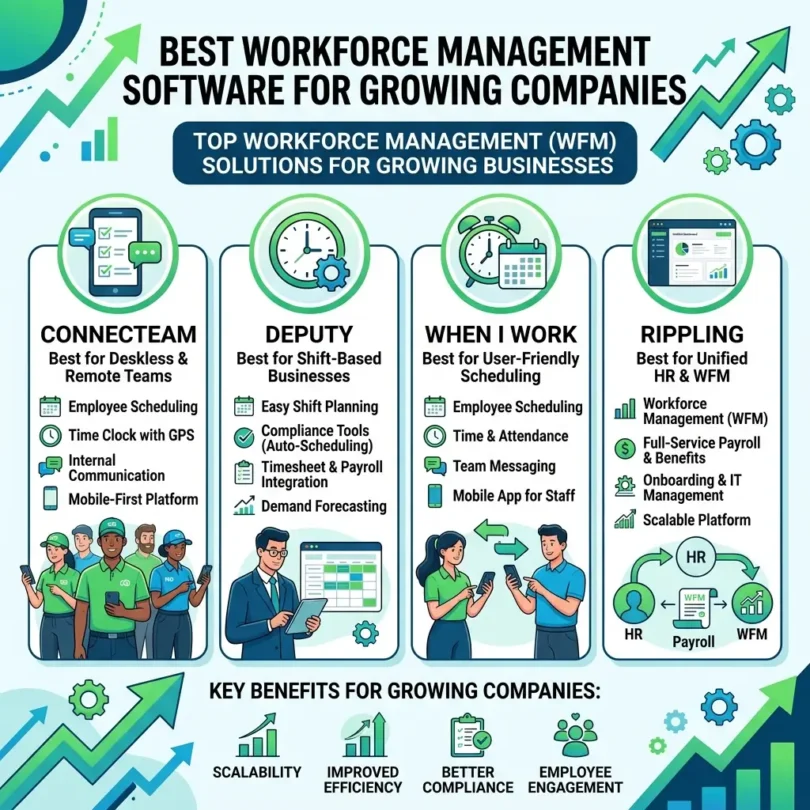
5. Deputy
Best for: Employee scheduling and time clock for shift-based teams
Good for: Retail, hospitality, healthcare, restaurants, small and growing teams
Main strength: Easy scheduling and time attendance management
Deputy is a popular workforce management tool for scheduling, time clocks, timesheets, leave management, and team communication. It is widely used by shift-based businesses.
Key Features
- Employee scheduling
- Time clock
- Timesheets
- Leave management
- Labor cost visibility
- Shift swapping
- Mobile app
- Team communication
- Payroll integrations
- Compliance support
- Demand-based scheduling features
- Attendance reports
Why Deputy Is Good for Growing Companies
Deputy is useful because it is easier to deploy than many enterprise WFM systems. It can help managers create schedules, approve timesheets, track attendance, and connect hours with payroll.
For growing businesses that are moving away from spreadsheets, Deputy can be a practical step up.
Best Fit
Deputy is best for small and growing shift-based companies that need scheduling, time tracking, and payroll integrations.
Possible Downsides
Large enterprises with complex labor rules and global operations may need UKG, Workday, ADP, or WorkForce Software.
6. When I Work
Best for: Simple employee scheduling and team communication
Good for: Small businesses, restaurants, retail, hourly employees
Main strength: Easy scheduling for small shift teams
When I Work is a simple workforce scheduling and time tracking tool for small businesses with hourly employees. It helps managers create schedules, handle shift changes, track attendance, and communicate with employees.
Key Features
- Employee scheduling
- Time clock
- Shift swapping
- Team messaging
- Availability management
- Time-off requests
- Attendance tracking
- Labor cost estimates
- Mobile app
- Payroll integrations
- Schedule templates
- Notifications
Why When I Work Is Good for Growing Companies
When I Work is good for small businesses that need a simple scheduling solution. It works well for restaurants, cafes, shops, salons, gyms, and local service businesses.
It helps reduce scheduling confusion by giving employees mobile access to schedules and shift updates.
Best Fit
When I Work is best for small and growing businesses that need easy employee scheduling and basic time tracking.
Possible Downsides
Companies needing advanced labor forecasting, compliance, payroll, and enterprise workforce analytics may need a more powerful platform.
7. Homebase
Best for: Small businesses with hourly workers
Good for: Restaurants, retail, local businesses, service teams
Main strength: Scheduling, time clock, payroll, and team communication for small businesses
Homebase is a popular workforce management tool for small businesses with hourly employees. It includes scheduling, time clocks, timesheets, payroll, team communication, hiring, and HR tools.
Key Features
- Employee scheduling
- Time clock
- Timesheets
- Payroll
- Team messaging
- Hiring tools
- Onboarding
- HR tools
- Time-off management
- Labor cost tracking
- Mobile app
- Compliance support
- Employee self-service
Why Homebase Is Good for Growing Companies
Homebase is strong for local businesses that want one simple system for scheduling, time tracking, payroll, hiring, and team communication.
It can be a good fit for businesses that have grown beyond manual schedules but are not ready for enterprise workforce management software.
Best Fit
Homebase is best for small and growing local businesses with hourly workers.
Possible Downsides
Larger companies with multi-country operations, complex compliance, or advanced forecasting may need UKG, ADP, Workday, or WorkForce Software.
8. WorkForce Software
Best for: Global enterprise workforce management
Good for: Manufacturing, healthcare, public sector, utilities, higher education, operations teams
Main strength: Enterprise-grade time, attendance, scheduling, absence, and labor forecasting
WorkForce Software provides cloud-based workforce management for time, attendance, scheduling, absence, employee communications, and global workforce operations.
Its platform includes time and attendance, absence management, scheduling, labor forecasting, data capture, employee experience, task management, and analytics.
Key Features
- Time and attendance
- Absence management
- Employee scheduling
- Labor forecasting
- Data capture
- Employee communications
- Task management
- Analytics and insights
- Global workforce support
- Compliance support
- Industry-specific workforce tools
- Enterprise reporting
Why WorkForce Software Is Good for Growing Companies
WorkForce Software is strong for large and complex workforce environments. Industries such as manufacturing, healthcare, utilities, public sector, and higher education often have complicated schedules, labor rules, union rules, leave policies, and operational demands.
Best Fit
WorkForce Software is best for larger growing companies and enterprises with complex workforce management requirements.
Possible Downsides
It may be too advanced for small companies that only need basic employee scheduling.
9. Paycor
Best for: Growing SMBs that want HR, payroll, time, scheduling, and talent tools
Good for: Small and mid-sized businesses, payroll teams, HR departments
Main strength: HR and payroll platform with workforce management features
Paycor is an HR and payroll platform that includes workforce management features such as time tracking, scheduling, payroll, HR, benefits, recruiting, onboarding, and analytics.
Key Features
- Payroll
- HR management
- Time and attendance
- Employee scheduling
- Recruiting
- Onboarding
- Benefits administration
- Performance management
- Workforce analytics
- Compliance tools
- Employee self-service
- Reporting
Why Paycor Is Good for Growing Companies
Paycor is useful for growing businesses that want workforce management connected with broader HR and payroll tools. It can help companies manage employees from hiring through payroll, time tracking, scheduling, and performance.
Best Fit
Paycor is best for small and mid-sized businesses that want payroll, HR, scheduling, and workforce management in one platform.
Possible Downsides
Businesses with very complex enterprise scheduling needs may need UKG, Workday, or WorkForce Software.
10. Rippling
Best for: Growing companies that want workforce management connected with HR, IT, payroll, and finance
Good for: Startups, remote teams, fast-growing companies, distributed workforces
Main strength: Workforce data and automation across HR, IT, and finance
Rippling combines HR, payroll, benefits, time and attendance, recruiting, app access, device management, spend management, and workflow automation.
Key Features
- HRIS
- Payroll
- Time and attendance
- Scheduling-related workflows
- Benefits administration
- Employee onboarding
- App provisioning
- Device management
- Identity and access management
- Workflow automation
- Workforce reporting
- Global payroll options
- Finance and expense tools
Why Rippling Is Good for Growing Companies
Rippling is strong because workforce data can trigger automation across different departments.
For example, when an employee joins, changes roles, or leaves, Rippling can update payroll, HR records, app access, devices, groups, and workflows.
This is valuable for fast-growing companies where HR, IT, and payroll need to stay aligned.
Best Fit
Rippling is best for growing companies, startups, and remote teams that want workforce management connected with HR, payroll, IT, and automation.
Possible Downsides
Businesses mainly needing shift scheduling may prefer Deputy, When I Work, Homebase, UKG, or Workforce.com.
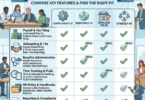
Quick Comparison Table
| Workforce Management Software | Best For | Main Strength | Best Business Type |
|---|---|---|---|
| UKG | Complex workforce operations | Scheduling, time, compliance, analytics | Shift-based and growing companies |
| ADP Workforce Management | Payroll-connected WFM | Time, attendance, absence, payroll integration | Payroll-heavy businesses |
| Workday Workforce Management | Enterprise HCM users | Scheduling, time, absence, labor optimization | Large and global teams |
| Workforce.com | Hourly workforce optimization | Labor forecasting, attendance, scheduling | Retail, restaurants, hospitality |
| Deputy | Shift scheduling | Scheduling, time clock, timesheets | SMB shift teams |
| When I Work | Simple scheduling | Easy schedules, shift swaps, messaging | Small hourly teams |
| Homebase | Small business hourly teams | Scheduling, payroll, hiring, messaging | Local businesses |
| WorkForce Software | Global enterprise WFM | Time, absence, labor forecasting, analytics | Complex enterprises |
| Paycor | HR and payroll WFM | HR, payroll, time, scheduling | Growing SMBs |
| Rippling | HR, IT, payroll automation | Workforce data and workflow automation | Fast-growing companies |
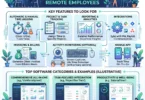
Important Features to Look for in Workforce Management Software
The right workforce management software depends on your team size, industry, employee type, and scheduling complexity.
1. Employee Scheduling
Scheduling should be easy, flexible, and mobile-friendly. Managers should be able to create schedules, avoid conflicts, control labor costs, and notify employees quickly.
2. Time and Attendance
Time and attendance tools help capture clock-ins, clock-outs, breaks, overtime, and attendance exceptions.
3. Absence Management
Absence management helps track PTO, sick leave, holidays, leave requests, and coverage gaps.
4. Labor Forecasting
Labor forecasting helps predict how many employees are needed based on demand, sales, traffic, workload, or historical patterns.
5. Payroll Integration
Workforce management should connect with payroll so approved hours flow into payroll accurately.
6. Overtime Management
The system should alert managers when overtime risk is high.
7. Compliance Support
Compliance tools can help with break rules, overtime, scheduling regulations, labor laws, and recordkeeping.
8. Mobile App
Employees should be able to see schedules, request time off, clock in, swap shifts, and receive alerts from mobile devices.
9. Workforce Analytics
Analytics should show labor costs, attendance trends, overtime, schedule coverage, productivity, and workforce utilization.
10. Employee Self-Service
Employees should be able to update availability, request leave, see shifts, and manage basic workforce tasks without constant manager help.
Workforce Management Software vs HR Software
Workforce management software and HR software are related, but they are not exactly the same.
HR Software
HR software usually focuses on:
- Employee records
- Hiring
- Onboarding
- Payroll
- Benefits
- Performance
- Documents
- HR compliance
Workforce Management Software
Workforce management software focuses more on:
- Scheduling
- Time tracking
- Attendance
- Absence
- Labor forecasting
- Shift planning
- Workforce analytics
- Labor cost control
- Operational staffing
Some platforms combine both. UKG, ADP, Workday, Paycor, Homebase, and Rippling can include both HR and workforce management capabilities.
Best Workforce Management Software by Business Type
Best for Small Businesses
Homebase, When I Work, Deputy, and Paycor are practical options for small businesses.
Best for Growing Companies
UKG, ADP, Paycor, Workforce.com, and Rippling are strong choices.
Best for Restaurants and Retail
Homebase, Deputy, When I Work, Workforce.com, and UKG are strong options.
Best for Healthcare
UKG, Workday, WorkForce Software, and ADP are stronger for complex scheduling and compliance.
Best for Manufacturing
UKG, WorkForce Software, ADP, and Workday are strong for attendance, shifts, labor forecasting, and compliance.
Best for Global Workforces
Workday, WorkForce Software, UKG, and ADP are better for large, global, or complex teams.
Best for Startups and Remote Teams
Rippling, Paycor, and ADP can work well depending on workforce structure.
How Much Does Workforce Management Software Cost?
Workforce management software pricing depends on:
- Number of employees
- Number of locations
- Scheduling features
- Time and attendance features
- Payroll integration
- Labor forecasting
- Compliance tools
- Mobile access
- Analytics
- Implementation services
- Support level
- Enterprise requirements
- Monthly or annual billing
Small business tools such as Homebase, When I Work, and Deputy are usually easier to compare. Enterprise platforms such as UKG, ADP, Workday, and WorkForce Software often use quote-based pricing.
When comparing pricing, ask:
- Is pricing per employee?
- Is scheduling included?
- Is time tracking included?
- Is payroll included?
- Are payroll integrations included?
- Is labor forecasting included?
- Are compliance tools included?
- Is implementation extra?
- Is mobile access included?
- Are reports included?
- Is support included?
The cheapest tool is not always the best. Labor errors, overtime waste, payroll mistakes, and compliance issues can cost far more than good workforce management software.
Common Workforce Management Mistakes
Mistake 1: Using Spreadsheets Too Long
Spreadsheets work for a tiny team, but they become risky when shifts, absences, overtime, and payroll grow.
Mistake 2: Scheduling Without Labor Demand
Scheduling should be based on expected demand, not guesswork.
Mistake 3: Not Connecting Time Data With Payroll
Manual payroll transfer creates errors and wastes time.
Mistake 4: Ignoring Employee Availability
A schedule that ignores availability leads to no-shows, last-minute changes, and frustration.
Mistake 5: No Overtime Alerts
Without overtime visibility, labor costs can increase quickly.
Mistake 6: Poor Mobile Access
Hourly and frontline employees need mobile access to schedules and time-off requests.
Mistake 7: Weak Compliance Controls
Break rules, overtime, leave, and scheduling rules can create risk if not tracked properly.
Mistake 8: Not Training Managers
Even good software fails if managers do not use it correctly.
Workforce Management Best Practices
Build Schedules Around Demand
Use historical data, sales, appointments, traffic, or workload to plan staffing.
Give Employees Mobile Access
Employees should easily see schedules, request leave, and receive updates.
Approve Timesheets Before Payroll
Managers should review attendance exceptions, missed punches, and overtime before payroll.
Monitor Overtime Weekly
Do not wait until payroll day to discover overtime issues.
Use Clear Scheduling Rules
Define availability, shift swaps, time-off requests, break rules, and approval workflows.
Review Labor Reports
Use workforce analytics to improve staffing, control costs, and plan growth.
Connect WFM With Payroll and HR
Integrated data reduces duplicate work and errors.
Keep Compliance Records
Maintain accurate records for time, attendance, scheduling, leave, and payroll.
Final Verdict: What Is the Best Workforce Management Software?
The best workforce management software depends on your company size, industry, workforce type, and scheduling complexity.
For most growing companies:
- Best overall for complex workforce management: UKG
- Best for payroll-connected workforce management: ADP Workforce Management
- Best for enterprise HCM users: Workday Workforce Management
- Best for hourly labor forecasting: Workforce.com
- Best for shift scheduling: Deputy
- Best for simple small-business scheduling: When I Work
- Best for small local businesses: Homebase
- Best for global enterprise workforce management: WorkForce Software
- Best HR and payroll WFM for SMBs: Paycor
- Best for HR, IT, and workforce automation: Rippling
If your company has complex shifts, compliance needs, and multiple locations, start with UKG, ADP, Workday, or WorkForce Software. If you run a smaller hourly team, compare Deputy, When I Work, Homebase, and Workforce.com. If you want workforce management connected with broader HR and payroll, compare Paycor, ADP, UKG, and Rippling.
The most important point is simple: workforce management software helps growing companies schedule smarter, track time accurately, reduce payroll errors, control labor costs, and manage employees with better data.
FAQs About Workforce Management Software
What is the best workforce management software?
The best workforce management software depends on company size and workforce type. UKG is strong for complex workforce management, ADP is strong for payroll-connected WFM, Workday is strong for enterprise HCM users, Workforce.com is strong for hourly labor forecasting, and Deputy, When I Work, and Homebase are good for smaller shift-based teams.
What does workforce management software do?
Workforce management software helps companies manage employee scheduling, time tracking, attendance, absence, labor forecasting, payroll data, compliance, workforce analytics, and shift planning.
Is workforce management software the same as HR software?
No. HR software focuses on employee records, hiring, payroll, benefits, and performance. Workforce management software focuses more on scheduling, time, attendance, labor forecasting, and workforce operations.
Do small businesses need workforce management software?
Yes, small businesses with hourly employees, shifts, attendance issues, payroll complexity, or multiple locations can benefit from workforce management software.
What is the best workforce management software for restaurants?
Homebase, Deputy, When I Work, Workforce.com, and UKG are strong options for restaurants and hourly shift teams.
What is the best workforce management software for growing companies?
UKG, ADP Workforce Management, Paycor, Workforce.com, Workday, Rippling, and WorkForce Software are strong options for growing companies.
What features should workforce management software include?
Important features include employee scheduling, time and attendance, absence management, payroll integration, labor forecasting, overtime alerts, compliance tools, mobile apps, employee self-service, and workforce analytics.
Can workforce management software reduce payroll errors?
Yes. Accurate time capture, attendance tracking, approvals, and payroll integrations can reduce manual payroll errors.
What is labor forecasting?
Labor forecasting predicts how many employees are needed based on demand, sales, traffic, workload, appointments, or historical patterns.
Is UKG good for workforce management?
Yes. UKG offers workforce management software for time, attendance, scheduling, compliance, AI-assisted scheduling, and real-time workforce analytics.