
Remote work, hybrid teams, outsourcing, freelancing, and distributed hiring have changed how companies manage productivity. Business owners and managers can no longer rely only on office attendance to understand how work is happening.
But productivity management is not about spying on employees. The best employee monitoring software helps companies understand work patterns, track time accurately, manage remote teams, improve project visibility, reduce wasted hours, support payroll, protect company data, and make better workforce decisions.
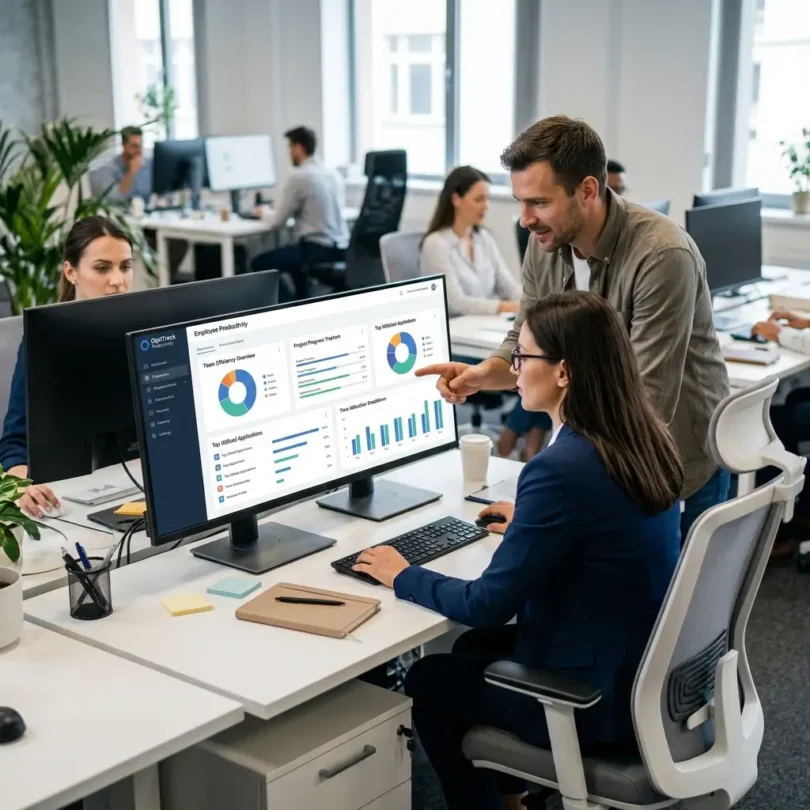
A good employee monitoring tool can show how time is spent across apps, websites, projects, clients, tasks, and locations. Some tools include screenshots, activity levels, GPS tracking, productivity reports, timesheets, payroll integrations, and workforce analytics. Others focus on privacy-friendly productivity insights instead of surveillance.
The right choice depends on your business model. A remote agency may need screenshots and billable time tracking. A field team may need GPS and geofencing. A SaaS company may prefer workforce analytics. A professional service firm may need project profitability reports. A support team may need attendance, schedules, and productivity trends.
In this guide, we will compare the best employee monitoring software for productivity, explain the most important features, and help you choose the right tool for your business.
What Is Employee Monitoring Software?
Employee monitoring software is a business tool that helps companies track work activity, productivity, time usage, attendance, and digital behavior during work hours.
Depending on the software, it may track:
- Work hours
- Timesheets
- App usage
- Website usage
- Active and idle time
- Screenshots
- Keyboard and mouse activity levels
- Project time
- Client work
- GPS location
- Attendance
- Productivity trends
- Employee workload
- Team capacity
- Suspicious activity
- Data movement
- Remote work patterns
Some employee monitoring tools are designed for productivity and time tracking. Others are designed for security, compliance, insider risk, or workforce analytics.
For example, Hubstaff says its platform helps teams track employee time, monitor productivity, and turn approved hours into payments and insights. It also connects time data with reporting and work-cost visibility.
The most important thing is to use employee monitoring software responsibly. It should create clarity, not fear. It should help employees and managers work better, not create a culture of hidden surveillance.
Why Businesses Use Employee Monitoring Software
Companies use employee monitoring software for different reasons. The best use cases are usually practical and business-focused.
1. Remote Team Visibility
Remote employees may work from different cities, countries, time zones, and devices. Monitoring software helps managers understand whether work is moving forward without needing constant check-ins.
2. Accurate Time Tracking
For hourly employees, contractors, freelancers, and agencies, accurate time tracking matters. It supports payroll, invoicing, client billing, and project profitability.
3. Better Productivity Insights
Monitoring tools can show where time is going. Managers can see whether teams are spending too much time in meetings, admin work, unproductive websites, or low-value tasks.
ActivTrak explains that workforce analytics software collects employee data and turns it into insights about where, when, and how employees do their best work, focusing on trends, utilization, collaboration, and capacity rather than individual policing.
4. Project and Client Profitability
Agencies, BPOs, consultants, and service businesses need to know how much time goes into each client or project. Monitoring software can help identify which projects are profitable and which are draining resources.
5. Attendance and Schedule Tracking
Some teams need attendance tracking, clock-in/clock-out records, shift reports, and schedule adherence.
6. Payroll and Contractor Payments
Approved timesheets can be used for payroll, contractor payments, and invoices.
7. Security and Compliance
Some tools can help identify risky behavior, suspicious activity, unauthorized app usage, or data movement. This can matter for finance, healthcare, legal, BPO, and regulated businesses.
8. Reducing Burnout
Good workforce analytics can help managers identify overloaded employees, long work hours, excessive meetings, or unhealthy work patterns before burnout becomes serious.
Best Employee Monitoring Software for Productivity
Below are some of the best employee monitoring tools for remote teams, small businesses, agencies, BPOs, contractors, field teams, startups, and growing companies.
1. Hubstaff
Best for: Remote teams, agencies, contractors, and field employees
Good for: Time tracking, screenshots, activity levels, GPS, payroll, project budgets
Main strength: Employee monitoring plus time tracking and workforce management
Hubstaff is one of the most popular employee monitoring software platforms for remote teams and distributed businesses. It combines time tracking, productivity monitoring, screenshots, app and website tracking, GPS tracking, payroll workflows, invoicing, project budgets, and team reporting.
Hubstaff says it can monitor idle time, app and website usage, keyboard and mouse activity rates, and optional screenshots. It also allows tracking preferences by user or role, and team members can edit or delete sensitive data at any time.
Key Features
- Time tracking
- Timesheets
- Optional screenshots
- Activity levels
- App and website usage tracking
- GPS tracking
- Geofencing
- Project budgets
- Payroll integrations
- Invoicing
- Online timesheets
- Productivity reports
- Team dashboards
- Work order and field team tools
- Mobile apps
Why Hubstaff Is Good for Productivity
Hubstaff is strong because it connects monitoring with real business operations. It does not only show activity; it can help with payroll, project costs, billing, field work, and productivity reports.
For agencies and remote teams, screenshots and activity levels can provide proof of work. For field teams, GPS and geofencing can help verify location-based work. For contractors, tracked hours can support payment and billing.
Hubstaff’s screenshot feature can take random screenshots during tracked time, often in 10-minute intervals, to add context to work and support transparency in high-compliance workflows.
Best Fit
Hubstaff is best for remote agencies, outsourcing teams, field service companies, contractors, and businesses that need time tracking plus productivity monitoring.
Possible Downsides
Screenshots and activity tracking can feel invasive if used without clear communication. Businesses should explain what is tracked, why it is tracked, and how employees can review their data.
2. Time Doctor
Best for: Productivity analytics and remote workforce monitoring
Good for: Remote teams, BPOs, agencies, support teams, outsourced employees
Main strength: Workforce analytics with time tracking and productivity reports
Time Doctor is an employee monitoring and workforce analytics platform designed for distributed teams. It combines time tracking, productivity analytics, employee monitoring, app and website usage, attendance insights, project tracking, and reporting.
Time Doctor describes itself as AI-powered workforce analytics software that combines employee monitoring and time tracking to turn everyday work data into clear, actionable insights.
Key Features
- Time tracking
- Employee monitoring
- Productivity reports
- App and website tracking
- Screenshots
- Attendance tracking
- Project and task tracking
- Client tracking
- Payroll support
- Work-life balance insights
- Workforce analytics
- Alerts and reminders
- Remote team dashboards
Why Time Doctor Is Good for Productivity
Time Doctor is useful for businesses that want to understand how remote employees spend work time. It can help managers identify distractions, workload problems, attendance issues, and project delays.
Time Doctor also positions its monitoring features as privacy-friendly analytics for employees, tasks, projects, and clients.
For BPOs, agencies, remote support teams, and outsourcing companies, Time Doctor can provide visibility into work hours and productivity without relying only on manual reports.
Best Fit
Time Doctor is best for remote teams, BPOs, support teams, and businesses that want productivity analytics with employee monitoring.
Possible Downsides
Some features, such as screenshots and app tracking, require careful policy and employee communication. Poor implementation can reduce trust.
3. ActivTrak
Best for: Workforce analytics and productivity management
Good for: Productivity trends, utilization, burnout risk, team capacity, remote workforce insights
Main strength: Analytics-first productivity monitoring
ActivTrak is different from more screenshot-heavy monitoring tools. It focuses on workforce analytics, productivity management, workload balance, utilization, engagement, and operational insights.
ActivTrak describes itself as a comprehensive workforce analytics solution with features for employee monitoring, productivity management, schedule and policy adherence, contractor billing reconciliation, and automated timesheet validation.
Key Features
- Workforce analytics
- Productivity dashboards
- App and website usage insights
- Workload balance
- Team utilization
- Schedule adherence
- Productivity trends
- Burnout indicators
- Remote workforce management
- Automated timesheet validation
- Contractor billing reconciliation
- Coaching insights
- Reports and benchmarks
Why ActivTrak Is Good for Productivity
ActivTrak is strong for companies that want to improve productivity without relying on heavy surveillance. It focuses on patterns and insights rather than simply watching individual screens.
For example, managers can use ActivTrak to understand:
- Which teams are overloaded
- Where time is being lost
- Which apps are used most
- Whether employees are working beyond healthy hours
- Which workflows create bottlenecks
- Whether schedules match actual work patterns
ActivTrak says its employee monitoring software is designed to measure, monitor, test, and track a wide range of employee work activities.
Best Fit
ActivTrak is best for companies that want productivity analytics, workforce planning, utilization insights, and remote work visibility without a purely surveillance-focused approach.
Possible Downsides
ActivTrak may not be the best fit if your business specifically needs screenshots, GPS tracking, or payroll-heavy field workforce management.
4. Teramind
Best for: Advanced employee monitoring and insider risk detection
Good for: Security-focused businesses, compliance, regulated industries, risk monitoring
Main strength: Deep monitoring, behavior analytics, and security controls
Teramind is a powerful employee monitoring and insider threat platform. It is often used by organizations that need deeper visibility into user behavior, data movement, policy violations, and risky activity.
Key Features
- Employee activity monitoring
- User behavior analytics
- Screen recording
- Keystroke logging options
- Website and app tracking
- File transfer monitoring
- Email and chat monitoring options
- Insider threat detection
- Policy violation alerts
- Data loss prevention features
- Productivity reports
- Risk scoring
- Compliance reporting
Why Teramind Is Good for Productivity and Security
Teramind is stronger than basic time tracking tools because it focuses heavily on user activity, insider risk, security, and compliance. It can be useful for businesses that need detailed monitoring for sensitive environments.
For example, a financial company, legal firm, healthcare contractor, call center, or BPO handling client data may need deeper controls than a normal remote team.
Best Fit
Teramind is best for companies that need advanced employee monitoring, insider threat detection, compliance reporting, and security-focused productivity visibility.
Possible Downsides
Teramind can be too invasive for normal productivity management if used without clear policies. It is better for security-sensitive environments than casual remote work tracking.
5. Insightful
Best for: Remote and hybrid workforce productivity analytics
Good for: Automatic time tracking, productivity trends, employee activity, operational visibility
Main strength: Workforce analytics and activity visibility
Insightful, formerly known as Workpuls, is an employee monitoring and workforce analytics platform for remote, hybrid, and office teams. It helps companies track work time, app usage, productivity, attendance, and team performance.
Key Features
- Employee monitoring
- Automatic time tracking
- App and website usage
- Productivity classification
- Screenshots
- Attendance tracking
- Project tracking
- Remote work insights
- Team productivity dashboards
- Workflow analytics
- Reports and alerts
Why Insightful Is Good for Productivity
Insightful is useful for companies that want to understand employee work patterns across remote and hybrid teams. It helps managers see productivity trends, attendance, workload, and app usage.
It can also help identify process inefficiencies. For example, if employees spend too much time switching between tools or waiting on approvals, productivity reports can reveal those workflow issues.
Best Fit
Insightful is best for remote and hybrid companies that want workforce analytics, productivity monitoring, and automatic time tracking.
Possible Downsides
Businesses should configure productivity categories carefully. Not every website or app is automatically “productive” or “unproductive” for every role.
6. Veriato
Best for: Employee monitoring with risk and behavior analytics
Good for: Insider risk, compliance, security-sensitive teams, behavioral alerts
Main strength: User behavior analytics and risk detection
Veriato is an employee monitoring and insider risk platform used by companies that need strong visibility into user activity and potential risk. It can help identify suspicious behavior, productivity issues, and policy violations.
TechRadar’s employee monitoring guide highlighted Veriato for AI integration, behavior analysis, predictive risk insights, screen recordings, and alert systems.
Key Features
- Employee monitoring
- User behavior analytics
- Risk scoring
- Screen recording
- Website and app tracking
- Email and chat monitoring options
- Alerting
- Insider threat detection
- Productivity reports
- Compliance support
- Activity search and investigation
Why Veriato Is Good for Productivity and Security
Veriato is useful when productivity monitoring and risk management overlap. Some businesses need to know not only whether work is being done, but also whether sensitive systems are being misused.
This can matter for industries where employees handle private financial data, customer records, healthcare data, legal documents, or intellectual property.
Best Fit
Veriato is best for companies that need employee monitoring with insider risk and behavior analytics.
Possible Downsides
Like Teramind, Veriato is more advanced and sensitive than basic productivity tools. It should be used with strong governance and clear employee policies.
7. InterGuard
Best for: Remote employee monitoring with endpoint control
Good for: Remote teams, security monitoring, productivity tracking, remote management
Main strength: Monitoring plus remote endpoint management
InterGuard is an employee monitoring and endpoint control platform. It can help track user activity, monitor productivity, protect data, and manage remote devices.
TechRadar’s employee monitoring guide highlighted InterGuard for remote access capabilities, monitoring, data loss prevention, and remote laptop management through a central control panel.
Key Features
- Employee monitoring
- Web and app tracking
- Screenshots
- Email and chat monitoring options
- Keystroke logging options
- USB tracking
- Data loss prevention
- Remote device management
- Productivity reports
- Alerts
- Compliance support
Why InterGuard Is Good for Productivity
InterGuard is useful for companies that want productivity monitoring with stronger endpoint security and remote management features.
It may fit businesses that manage remote laptops and need visibility into both productivity and risky activity.
Best Fit
InterGuard is best for businesses that need remote employee monitoring, endpoint controls, and data protection features.
Possible Downsides
It may be too heavy for companies that only need simple time tracking or project reporting.
8. SentryPC
Best for: Simple computer monitoring and activity control
Good for: Small businesses needing basic monitoring, web filtering, activity logs
Main strength: Affordable PC monitoring and control
SentryPC is employee monitoring software focused on computer activity tracking, usage limits, website blocking, screenshots, and activity logs.
TechRadar’s employee monitoring roundup named SentryPC as a best overall option in 2025, noting features such as PC monitoring, keylogging, screenshot capture, chat and clipboard logging, and USB tracking, while also noting weaker Mac support.
Key Features
- Activity monitoring
- Screenshot capture
- Website monitoring
- App monitoring
- Keystroke logging options
- USB activity tracking
- Time limits
- Website blocking
- Alerts
- Reports
- User control policies
Why SentryPC Is Good for Productivity
SentryPC can be useful for small businesses that need a more basic and affordable monitoring solution. It can help track computer usage, block distracting websites, and review activity logs.
Best Fit
SentryPC is best for small businesses that need basic computer monitoring and activity controls.
Possible Downsides
It may not be ideal for modern remote teams using many devices, cloud workflows, and advanced workforce analytics.
9. WorkTime
Best for: Non-invasive employee monitoring
Good for: Productivity analytics without screenshots or keystroke logging
Main strength: Privacy-focused productivity monitoring
WorkTime is an employee monitoring tool that positions itself as a non-invasive productivity monitoring solution. It focuses on work time, productivity metrics, attendance, and user activity trends without relying on heavy surveillance methods.
Key Features
- Productivity monitoring
- Attendance tracking
- App and website usage
- Active and idle time
- Reports and analytics
- Remote work monitoring
- Productivity trends
- Team performance insights
- Non-invasive monitoring approach
- Employee workload visibility
Why WorkTime Is Good for Productivity
WorkTime is useful for companies that want productivity data but do not want screenshots, keystroke logging, or invasive surveillance. This can be a better cultural fit for professional remote teams.
Best Fit
WorkTime is best for companies that want privacy-friendly monitoring and productivity analytics.
Possible Downsides
Businesses needing screenshots, screen recording, GPS, or deep insider threat detection may prefer Hubstaff, Time Doctor, Teramind, or Veriato.
10. DeskTime
Best for: Automatic time tracking and productivity analysis
Good for: Small businesses, agencies, freelancers, remote teams
Main strength: Automatic productivity tracking and team reports
DeskTime is a time tracking and productivity monitoring tool that automatically tracks work time, app usage, websites, projects, and productivity patterns.
Key Features
- Automatic time tracking
- App and website tracking
- Productivity analysis
- Project tracking
- Absence calendar
- Shift scheduling
- Screenshots on some plans
- Document title tracking
- Reports
- Team dashboards
- Invoicing features
- Integrations
Why DeskTime Is Good for Productivity
DeskTime is good for teams that want automatic productivity tracking without asking employees to manually start and stop timers all day. It helps managers understand work habits, project time, and productivity trends.
Best Fit
DeskTime is best for small businesses and remote teams that want automatic time tracking with productivity reporting.
Possible Downsides
Teams that need strong payroll, GPS, field workforce management, or deep security monitoring may prefer Hubstaff, QuickBooks Time, Teramind, or Time Doctor.
Quick Comparison Table
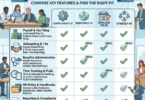
| Employee Monitoring Software | Best For | Main Strength | Best Business Type |
|---|---|---|---|
| Hubstaff | Remote and field teams | Time tracking, screenshots, GPS, payroll | Agencies, contractors, field teams |
| Time Doctor | Productivity analytics | Time tracking, monitoring, workforce insights | Remote teams and BPOs |
| ActivTrak | Workforce analytics | Utilization, productivity trends, burnout insights | Hybrid and remote companies |
| Teramind | Security monitoring | Insider risk, screen recording, DLP controls | Regulated and security-sensitive teams |
| Insightful | Remote workforce analytics | Activity tracking and productivity dashboards | Remote and hybrid teams |
| Veriato | Behavior analytics | Risk scoring and employee activity monitoring | Compliance-heavy businesses |
| InterGuard | Endpoint control | Monitoring, DLP, remote laptop management | Remote device-heavy companies |
| SentryPC | Basic PC monitoring | Screenshots, activity logs, web controls | Small businesses |
| WorkTime | Non-invasive monitoring | Privacy-friendly productivity analytics | Professional remote teams |
| DeskTime | Automatic tracking | App tracking, project time, productivity reports | Small businesses and agencies |
Important Features to Look for in Employee Monitoring Software
The best employee monitoring software depends on what your company actually needs. Do not buy the most invasive tool just because it has more features.
1. Time Tracking
Time tracking records work hours and helps with payroll, billing, attendance, and accountability.
2. Timesheets
Timesheets help managers review and approve employee hours before payroll or invoicing.
3. App and Website Usage
This shows which apps and websites employees use during work time. It can help identify distractions, workflow issues, or tool overload.
4. Screenshots
Screenshots can provide work context, but they should be optional, transparent, and policy-based.
5. Activity Levels
Activity tracking often measures keyboard and mouse activity. It should not be treated as the only measure of productivity because some valuable work includes reading, planning, calls, meetings, and thinking.
6. GPS Tracking
GPS is useful for field workers, delivery teams, construction workers, home service businesses, and mobile employees.
7. Project Tracking
Project tracking helps teams understand how much time goes into each client, project, department, or task.
8. Productivity Reports
Reports should show useful trends, not just raw surveillance data.
9. Payroll Integration
If hourly pay depends on tracked time, payroll integration can reduce errors.
10. Alerts
Alerts can notify managers about unusual activity, policy violations, excessive idle time, or risky behavior.
11. Privacy Controls
Employees should understand what is tracked. Some tools allow users to view, edit, delete, or blur sensitive data.
12. Compliance and Audit Logs
Some industries need records for compliance, security, and investigations.
Employee Monitoring Software vs Time Tracking Software
Employee monitoring and time tracking are related, but they are not exactly the same.
Time Tracking Software
Time tracking software focuses on:
- Work hours
- Timesheets
- Project time
- Billable hours
- Payroll hours
- Client reports
- Invoicing
Employee Monitoring Software
Employee monitoring software may include:
- Screenshots
- App usage
- Website usage
- Activity levels
- GPS tracking
- Screen recording
- Keystroke logging
- Data movement monitoring
- Productivity scoring
- User behavior analytics
Some tools combine both. Hubstaff, Time Doctor, DeskTime, Insightful, and TimeCamp are examples of tools that blend time tracking with employee monitoring.
For many businesses, simple time tracking is enough. More invasive monitoring should only be used when there is a clear business, compliance, security, or operational need.
Best Employee Monitoring Software by Business Type
Best for Remote Agencies
Hubstaff, Time Doctor, Toggl Track-style time tracking, DeskTime, and Insightful can work well for agencies.
Best for BPOs and Outsourcing Teams
Time Doctor, Hubstaff, Insightful, Teramind, and Veriato are strong options depending on monitoring depth.
Best for Field Teams
Hubstaff and GPS-enabled time tracking tools are strong for field employees.
Best for Privacy-Friendly Productivity Analytics
ActivTrak, WorkTime, and some Toggl-style workflows are better for companies that want insights without heavy surveillance.
Best for Security and Insider Risk
Teramind, Veriato, and InterGuard are stronger for security-sensitive monitoring.
Best for Small Businesses
Hubstaff, DeskTime, SentryPC, WorkTime, and Clockify-style tools can be practical depending on budget and feature needs.
Best for Workforce Analytics
ActivTrak, Insightful, and Time Doctor are strong choices.
How Much Does Employee Monitoring Software Cost?
Employee monitoring software pricing usually depends on:
- Number of users
- Time tracking features
- Screenshots
- App and website tracking
- GPS tracking
- Productivity analytics
- Payroll integrations
- Screen recording
- Insider risk features
- Data loss prevention features
- Report depth
- Support level
- Monthly or annual billing
Basic employee monitoring tools may be affordable for small teams. Advanced security-focused platforms can cost more because they include behavior analytics, screen recording, alerts, compliance, insider risk detection, and DLP features.
When comparing pricing, ask:
- Is pricing per user?
- Are screenshots included?
- Is GPS included?
- Is payroll integration included?
- Are productivity reports included?
- Are alerts included?
- Is screen recording included?
- Are privacy controls included?
- Can employees review their own data?
- Are admin roles included?
- Is support included?
Do not choose employee monitoring software only because it is cheap. Choose the tool that matches your team culture, legal requirements, and business workflow.
Employee Monitoring Best Practices
Employee monitoring can help productivity, but it must be used carefully.
Be Transparent
Employees should know what is being tracked, when it is tracked, and why it is tracked.
Create a Written Policy
Your policy should explain:
- What data is collected
- When monitoring happens
- Who can access reports
- How screenshots are handled
- Whether GPS is used
- How long data is kept
- What employees can review
- How monitoring affects payroll or performance
Track Work, Not Personal Life
Monitoring should apply only to work activity, work devices, or work hours, depending on policy and law.
Use the Least Invasive Option
Start with time tracking and productivity reports before using screenshots, screen recordings, or keystroke monitoring.
Focus on Trends
Use monitoring data to improve processes, planning, and workload balance instead of punishing employees for every small activity.
Review Productivity Categories
An app may be productive for one role and unproductive for another. For example, YouTube may be a distraction for one employee but a research tool for a marketer.
Protect Employee Data
Monitoring data is sensitive. Limit access to managers who genuinely need it.
Respect Local Laws
Employee monitoring laws vary by country and state. Some places require consent or clear notice.
Combine Data With Human Context
Activity numbers do not tell the full story. Meetings, calls, planning, reading, creative work, and problem-solving may not always show high keyboard activity.
Common Employee Monitoring Mistakes
Mistake 1: Monitoring Without Telling Employees
Hidden monitoring can destroy trust and may create legal problems.
Mistake 2: Treating Activity Levels as Productivity
Keyboard and mouse movement are not the same as valuable work.
Mistake 3: Using Screenshots for Every Team
Not every role needs screenshots. Use them only when necessary.
Mistake 4: Ignoring Privacy
Monitoring should not collect unnecessary personal information.
Mistake 5: No Clear Policy
Without a policy, managers and employees may misunderstand the purpose of monitoring.
Mistake 6: Overlooking Burnout
Productivity data should help identify overwork, not just underwork.
Mistake 7: Not Training Managers
Managers should know how to interpret reports fairly.
Mistake 8: Choosing Surveillance Instead of Workflow Improvement
Sometimes productivity problems are caused by bad processes, unclear priorities, too many meetings, or poor tools — not lazy employees.
Is Employee Monitoring Software Legal?
Employee monitoring laws vary by country, state, and industry. In many places, businesses can monitor work activity on company devices or during work hours, but they may need to give notice or obtain consent.
This article is general information, not legal advice.
Before using employee monitoring software, businesses should:
- Review local labor and privacy laws
- Create a written monitoring policy
- Inform employees clearly
- Limit monitoring to business purposes
- Avoid collecting unnecessary personal data
- Secure monitoring records
- Give employees access to relevant policy information
- Consult legal counsel if unsure
This is especially important for companies with employees in different countries because privacy rules can vary widely.
Employee Monitoring and Remote Work Trust
Employee monitoring should not replace trust. It should support clarity.
A healthy remote work culture includes:
- Clear goals
- Written expectations
- Time tracking where needed
- Transparent productivity metrics
- Respect for privacy
- Regular communication
- Fair workload distribution
- Outcome-based performance reviews
- Employee feedback
- Good management practices
The best companies use monitoring data to improve systems, not to micromanage every minute.
Final Verdict: What Is the Best Employee Monitoring Software?
The best employee monitoring software depends on your business needs, team culture, and monitoring goals.
For most businesses:
- Best overall for remote and field teams: Hubstaff
- Best for productivity analytics: Time Doctor
- Best for workforce analytics: ActivTrak
- Best for insider risk and security: Teramind
- Best for remote/hybrid activity insights: Insightful
- Best for behavior analytics: Veriato
- Best for endpoint monitoring and control: InterGuard
- Best for basic PC monitoring: SentryPC
- Best non-invasive monitoring: WorkTime
- Best automatic productivity tracking: DeskTime
If you need time tracking, payroll, screenshots, and GPS, start with Hubstaff. If you want workforce analytics and productivity reports, compare Time Doctor, ActivTrak, and Insightful. If security and insider risk matter, compare Teramind, Veriato, and InterGuard. If privacy-friendly monitoring matters most, compare ActivTrak and WorkTime.
The most important point is simple: employee monitoring software should improve productivity, transparency, payroll accuracy, and workforce planning. It should not create fear, hidden surveillance, or unfair performance judgments.
FAQs About Employee Monitoring Software
What is the best employee monitoring software?
The best employee monitoring software depends on your business. Hubstaff is strong for remote teams, screenshots, GPS, and payroll. Time Doctor is strong for productivity analytics. ActivTrak is strong for workforce analytics. Teramind and Veriato are better for security and insider risk.
What does employee monitoring software track?
Employee monitoring software may track work hours, app usage, website usage, active and idle time, screenshots, activity levels, GPS location, project time, attendance, productivity trends, and policy violations.
Is employee monitoring software good for remote teams?
Yes, it can help remote teams track work hours, manage productivity, support payroll, improve project visibility, and understand workload balance. It should be used transparently and fairly.
Is Hubstaff good for employee monitoring?
Yes. Hubstaff supports time tracking, productivity monitoring, app and website usage, optional screenshots, GPS tracking, payroll workflows, and project reporting.
Is Time Doctor good for productivity tracking?
Yes. Time Doctor combines time tracking, employee monitoring, and workforce analytics to help distributed teams understand productivity and work patterns.
Is ActivTrak employee monitoring or workforce analytics?
ActivTrak is mainly a workforce analytics and productivity management platform. It focuses on productivity trends, utilization, capacity, schedule adherence, and workforce insights.
Can employee monitoring software take screenshots?
Yes, some tools such as Hubstaff, Time Doctor, Teramind, Insightful, SentryPC, and DeskTime may offer screenshot features. Businesses should use screenshots transparently and only when necessary.
Is employee monitoring legal?
Employee monitoring laws depend on location. Businesses should give clear notice, create a written policy, limit monitoring to business purposes, and consult legal counsel if needed.
What is the difference between time tracking and employee monitoring?
Time tracking records work hours, timesheets, projects, and billable time. Employee monitoring may also include screenshots, app usage, website tracking, activity levels, GPS, screen recording, and risk alerts.
What is the least invasive employee monitoring software?
Tools focused on workforce analytics and non-invasive monitoring, such as ActivTrak and WorkTime, may be better for companies that want productivity insights without heavy surveillance.