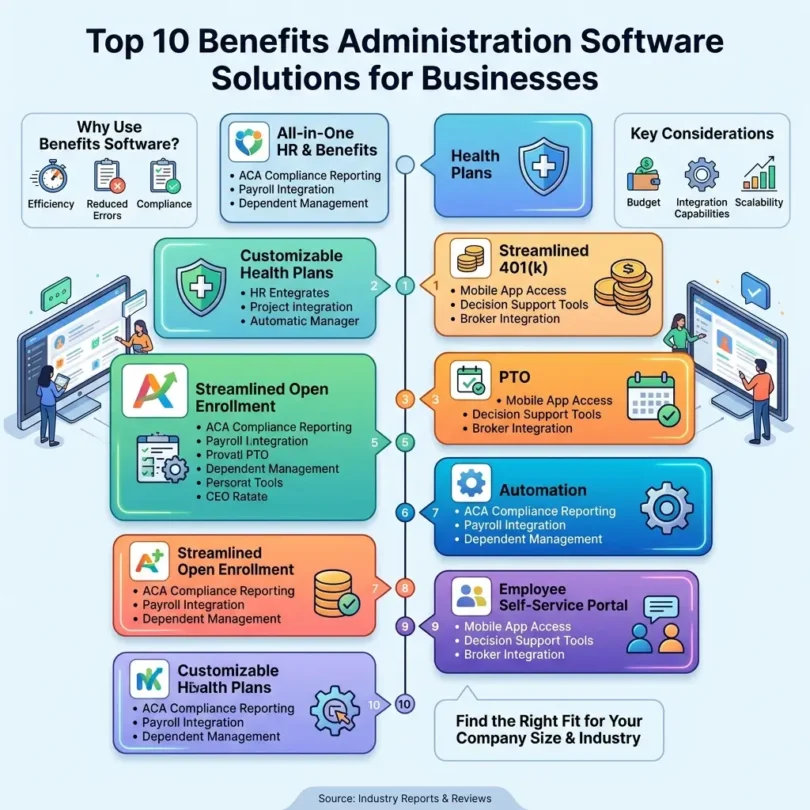

Employee benefits are one of the most important parts of attracting and keeping good employees. Salary matters, but benefits also play a major role in how employees judge a company. Health insurance, dental coverage, vision plans, retirement plans, life insurance, disability coverage, commuter benefits, wellness programs, paid leave, and flexible spending accounts can all affect employee satisfaction.
But managing benefits manually can become complicated.
HR teams need to handle open enrollment, plan selection, employee eligibility, payroll deductions, carrier connections, compliance documents, employee questions, benefits changes, life events, reporting, and year-end records. If this is done through spreadsheets, email, paper forms, or disconnected systems, mistakes can happen quickly.
That is why benefits administration software is valuable.
The best benefits administration software helps businesses manage employee benefits in one place. It can simplify open enrollment, automate payroll deductions, connect HR and payroll data, help employees compare plans, manage eligibility, reduce manual work, and improve benefits communication.
In this guide, we will compare the best benefits administration software for businesses, explain the features that matter most, and help you choose the right platform for your company.
What Is Benefits Administration Software?
Benefits administration software is a digital platform that helps companies manage employee benefits.
A benefits administration system can help with:
- Health insurance enrollment
- Dental and vision benefits
- Retirement plans
- Life insurance
- Disability insurance
- Flexible spending accounts
- Health savings accounts
- Commuter benefits
- Wellness benefits
- Open enrollment
- New hire benefits enrollment
- Qualifying life events
- Employee eligibility
- Payroll deductions
- Carrier connections
- Benefits compliance
- Employee self-service
- Benefits reporting
For HR teams, benefits software reduces manual work. For employees, it makes benefits easier to understand and manage.
Modern benefits administration software often connects with payroll and HR systems. This is important because benefits affect payroll deductions, employee records, tax treatment, and compliance. Rippling says its benefits administration software brings benefits, payroll, and HR together in one platform, reducing manual data entry and integration issues.
Why Businesses Need Benefits Administration Software
Benefits administration becomes difficult as a company grows. Even a small team can face complex questions when employees have different plans, dependents, eligibility dates, payroll deductions, and life events.
1. Open Enrollment Is Hard to Manage Manually
Open enrollment requires HR teams to communicate plan options, collect employee choices, answer questions, verify eligibility, and update payroll deductions.
Benefits software makes this easier by giving employees a self-service enrollment experience.
2. Payroll Deductions Must Be Accurate
Benefits deductions affect employee paychecks. If deductions are wrong, employees may be overcharged, undercharged, or enrolled incorrectly.
Software that connects benefits with payroll reduces these errors.
3. Employees Need Self-Service
Employees should be able to review benefits, compare plans, add dependents, update information, and access documents without asking HR for every small detail.
4. Compliance Matters
Benefits compliance can involve notices, plan documents, eligibility rules, reporting, Affordable Care Act requirements in the U.S., COBRA, retirement plan rules, and other regional regulations.
ADP offers payroll and HR solutions that include tax, compliance, and benefit administration services, making it useful for businesses that want broader support.
5. Benefits Help Attract Talent
Good benefits can make a company more competitive. Indeed describes employee benefits as non-monetary compensation that commonly includes medical insurance, dental and vision coverage, life insurance, and retirement planning.
6. HR Teams Need Cleaner Data
Benefits data should not be scattered across spreadsheets, emails, PDFs, payroll files, and carrier portals. A benefits platform keeps records more organized.
Best Benefits Administration Software for Businesses
Below are some of the strongest benefits administration platforms for small businesses, growing companies, remote teams, HR departments, payroll teams, and global employers.
1. Gusto
Best for: Small businesses that want payroll, HR, and benefits in one easy platform
Good for: Health benefits, retirement benefits, payroll deductions, employee self-service
Main strength: Simple benefits administration for small businesses
Gusto is one of the best benefits administration software options for small businesses because it combines payroll, HR, and benefits in one platform. It is especially useful for companies that want an easy employee experience and a simple HR dashboard.
Gusto’s own 2026 guide lists Gusto as an all-in-one benefits administration option for small businesses, noting benefits admin in all plans, employee self-enrollment, and a wide range of benefits options.
Key Features
- Health insurance administration
- Dental and vision benefits
- Retirement plan options
- HSA and FSA options
- Commuter benefits
- Employee self-enrollment
- Payroll deductions
- Employee self-service
- New hire onboarding
- Compliance support
- HR tools
- Payroll integration
- Benefits reporting
Why Gusto Is Good for Benefits Administration
Gusto is strong because small businesses often want payroll and benefits together. If employee benefits are managed separately from payroll, HR teams may need to manually update deductions, eligibility, and employee records. Gusto reduces that friction.
TechRadar’s 2026 HR software guide also highlighted Gusto as an all-in-one HR solution that offers payroll, benefits, compliance tools, health insurance, financial benefits, HSA/FSA-type options, 401(k), life and disability coverage, and HR expert guidance.
Best Fit
Gusto is best for small U.S.-based businesses that want benefits, payroll, HR, and employee self-service in one simple platform.
Possible Downsides
Gusto is strongest for U.S.-based benefits. Companies with complex international benefits may need Rippling, Deel, Remote, or a global benefits provider.
2. Rippling Benefits Administration
Best for: Growing companies that want benefits connected with HR, payroll, IT, and global workforce tools
Good for: Health insurance, 401(k), payroll deductions, HR automation, global benefits
Main strength: Unified employee data across HR, payroll, benefits, and IT
Rippling is a powerful workforce platform that includes HR, payroll, benefits, IT, finance, and automation. Its benefits administration tools help companies manage employee benefits from one system.
Rippling says its benefits administration software allows HR teams and brokers to manage employee benefits, from health insurance to 401(k), in one system.
Key Features
- Benefits administration
- Health insurance management
- Retirement plan administration
- Payroll deductions
- Employee self-service
- HRIS integration
- Onboarding workflows
- Broker support
- Global benefits options
- Compliance support
- Employee data automation
- Reporting
- Workflow automation
- IT and app access integration
Why Rippling Is Good for Benefits Administration
Rippling is strong because benefits data connects with the rest of the employee lifecycle. When an employee is hired, promoted, moved to a new location, or terminated, benefits eligibility and payroll deductions may need to change. Rippling’s unified platform helps automate these updates.
Rippling also offers global benefits management resources for companies managing benefits across many countries, which can be useful for remote and international teams.
Best Fit
Rippling is best for growing companies, startups, remote teams, and businesses that want benefits connected with HR, payroll, IT, and automation.
Possible Downsides
Rippling may be more advanced than what a very small business needs. Companies with only basic benefits needs may prefer Gusto, Zenefits, or Paychex.
3. ADP Benefits Administration
Best for: Businesses that want benefits, payroll, HR, tax, and compliance support from a major provider
Good for: Small businesses, midsized companies, payroll-heavy teams, compliance-focused employers
Main strength: Established payroll and HR ecosystem with benefits services
ADP is one of the most recognized payroll and HR providers. It offers payroll, tax, compliance, HR, and benefits administration services for businesses of different sizes.
ADP can be a strong choice for companies that want benefits administration connected with payroll and HR support.
Key Features
- Benefits administration
- Payroll integration
- Tax and compliance support
- Employee self-service
- Open enrollment support
- HR tools
- Retirement services
- Health compliance support
- Reporting
- HR app marketplace
- Employee mobile access
- Integration options
Why ADP Is Good for Benefits Administration
ADP is useful because it can support companies as they grow. A small business may start with payroll, then add HR, benefits administration, compliance support, retirement services, and workforce management.
ADP’s official site describes support across payroll, HR, tax, compliance, benefit administration, business tax credits, health compliance, wage garnishment, and integrations.
Best Fit
ADP is best for businesses that want benefits administration from a large, established payroll and HR provider.
Possible Downsides
ADP pricing is often quote-based. Businesses should request a clear quote and compare the total cost before choosing.
4. Paychex Flex
Best for: Small and growing businesses that want payroll, HR, and benefits services
Good for: HR outsourcing, health benefits, retirement plans, employee self-service
Main strength: Payroll and HR services with benefits management
Paychex Flex is a payroll and HR platform that can include benefits administration and HR outsourcing support. It is useful for businesses that want payroll, employee records, HR tools, and benefits support from one provider.
A 2026 payroll software review highlighted Paychex as strong for HR outsourcing and benefits management, noting its integration of healthcare, retirement, and employee benefit programs with payroll workflows.
Key Features
- Benefits administration
- Payroll processing
- Health benefits support
- Retirement services
- Workers’ compensation options
- Employee self-service
- HR services
- Time and attendance
- Compliance support
- Mobile access
- Reporting
- Payroll deductions
Why Paychex Flex Is Good for Benefits Administration
Paychex is useful for small businesses that want benefits administration and HR support without building a large internal HR team. It can help with employee benefits, payroll deductions, HR records, and compliance-related workflows.
ADP’s small business comparison page also notes Paychex Flex as offering payroll processing, automated tax filings, mobile employee self-service, HR, and benefits management.
Best Fit
Paychex Flex is best for small and growing businesses that want payroll, HR, benefits, and support services in one ecosystem.
Possible Downsides
Paychex may be more expensive than simple benefits software. Companies should compare pricing and service levels carefully.
5. TriNet Zenefits
Best for: Small and mid-sized businesses that want all-in-one HR, payroll, benefits, and compliance
Good for: Benefits enrollment, payroll, onboarding, HR records, compliance tools
Main strength: Benefits administration inside an SMB HR platform
TriNet Zenefits is an HR software platform that includes benefits administration, payroll, onboarding, time tracking, compliance, and employee management tools. It is often used by small and mid-sized businesses.
Gartner’s 2026 benefits management market review page describes Zenefits as HR software that streamlines HR processes, including employee onboarding, benefits administration, payroll, time tracking, compliance, and performance management.
Key Features
- Benefits administration
- Open enrollment
- Employee self-service
- Payroll
- Onboarding
- HR records
- Time tracking
- Compliance tools
- Employee documents
- Mobile access
- Reporting
- Integrations
Why Zenefits Is Good for Benefits Administration
Zenefits is useful because benefits administration is part of a broader HR platform. Companies can manage employee records, benefits, onboarding, payroll, and compliance from one place.
A 2026 HR software roundup also described Zenefits as an all-in-one HR platform with benefits administration, payroll, and compliance management solutions for small and medium-sized businesses.
Best Fit
TriNet Zenefits is best for small and mid-sized businesses that want HR, benefits, payroll, and compliance tools together.
Possible Downsides
Companies with more complex enterprise benefits needs may prefer ADP, Workday, Benefitfocus, or Employee Navigator.
6. BambooHR Benefits Administration
Best for: SMBs that want benefits connected with HR records
Good for: Employee records, HR workflows, payroll add-ons, benefits data organization
Main strength: HRIS-first benefits management
BambooHR is best known as an HRIS for small and mid-sized businesses. It can also support benefits-related workflows and integrations, especially for companies that want benefits connected with employee records.
TechRadar’s 2026 HR software guide described BambooHR as an all-in-one web-based HR system that manages employee records, job applications, staff performance, payroll, vacation requests, and HR administration; it also notes payroll, time tracking, and performance management as add-ons.
Key Features
- Employee records
- HRIS
- Benefits data organization
- Payroll add-ons
- Employee self-service
- Time off tracking
- Onboarding
- Document storage
- Reporting
- HR workflows
- Integrations
- Mobile access
Why BambooHR Is Good for Benefits Administration
BambooHR is useful when a business wants benefits information connected with HR records and employee data. While it may not be as benefits-heavy as Employee Navigator or Benefitfocus, it can be practical for SMBs that want HR and benefits workflows in one HRIS.
Best Fit
BambooHR is best for small and mid-sized businesses that want benefits information connected with HR records and employee management.
Possible Downsides
Companies needing deep open enrollment, carrier connectivity, broker workflows, and advanced benefits administration may need Employee Navigator, Benefitfocus, ADP, or Rippling.
7. Employee Navigator
Best for: Benefits brokers and companies needing strong benefits administration
Good for: Open enrollment, carrier connections, ACA, onboarding, PTO, HR workflows
Main strength: Benefits-focused platform with broker and employer tools
Employee Navigator is a benefits and HR platform widely used by brokers and employers. It focuses strongly on benefits administration, open enrollment, employee self-service, compliance support, HR workflows, and carrier connections.
Key Features
- Benefits administration
- Online enrollment
- Employee self-service
- Broker tools
- Carrier connections
- ACA support
- New hire onboarding
- PTO tracking
- HR management tools
- Payroll integrations
- Compliance workflows
- Benefits communication
Why Employee Navigator Is Good for Benefits Administration
Employee Navigator is strong because it is built around benefits administration. It is especially useful for benefits brokers and companies that need a dedicated system for benefits enrollment, plan management, and employee benefits communication.
It is often a better fit than basic HR software when benefits complexity is high.
Best Fit
Employee Navigator is best for benefits brokers, small and mid-sized businesses, and companies that want dedicated benefits administration workflows.
Possible Downsides
Businesses looking for a full HR, payroll, IT, and finance platform may prefer Rippling, ADP, Paychex, or Gusto.
8. Benefitfocus
Best for: Enterprise benefits administration
Good for: Large employers, health plans, brokers, complex benefits ecosystems
Main strength: Enterprise-scale benefits management
Benefitfocus is a benefits administration platform often used by large employers, health plans, brokers, and organizations with more complex benefits needs.
Key Features
- Benefits administration
- Open enrollment
- Employee benefits marketplace
- Health plan administration
- Decision support tools
- Carrier and broker tools
- Compliance support
- Employee self-service
- Reporting and analytics
- Data integrations
- Benefits communication
Why Benefitfocus Is Good for Benefits Administration
Benefitfocus is useful for larger organizations that need a mature benefits administration system. It can support complex benefits programs, multiple plan options, employee communication, and data workflows.
Best Fit
Benefitfocus is best for larger businesses, employers with complex benefits programs, brokers, and health plan ecosystems.
Possible Downsides
Benefitfocus may be too advanced for very small businesses that only need basic benefits enrollment.
9. Paylocity
Best for: Mid-sized businesses that want payroll, HR, benefits, and employee experience tools
Good for: Benefits administration, payroll, HR, employee self-service, workforce management
Main strength: HCM platform with benefits, payroll, and engagement tools
Paylocity is an HCM platform that includes payroll, HR, benefits administration, workforce management, talent tools, and employee experience features.
A 2026 HR software guide lists Paylocity as targeted at mid-sized businesses, offering automation and deep customization.
Key Features
- Benefits administration
- Payroll
- HR management
- Employee self-service
- Mobile app
- Open enrollment workflows
- Time and attendance
- Talent management
- Reporting
- Employee engagement tools
- Compliance support
- Payroll deductions
Why Paylocity Is Good for Benefits Administration
Paylocity is useful for mid-sized businesses that want benefits administration as part of a broader HR and payroll platform. It can help connect employee benefits, payroll, HR records, and workforce data.
Best Fit
Paylocity is best for mid-sized companies that want benefits administration, payroll, HR, workforce management, and employee experience tools.
Possible Downsides
Small businesses with simple benefits needs may prefer Gusto, Zenefits, or Paychex.
10. Deel Benefits
Best for: Global and remote teams
Good for: International employees, contractors, EOR, global payroll, localized benefits
Main strength: Global workforce and benefits support
Deel is a global payroll and HR platform for companies hiring internationally. It helps businesses manage employees, contractors, employer-of-record arrangements, payroll, compliance, and benefits across countries.
A 2026 payroll and benefits software guide lists Deel among top payroll and benefits software options, especially alongside Gusto, Paylocity, and Remote.
Key Features
- Global payroll
- Global benefits support
- Employer of record options
- Contractor management
- Localized benefits
- International compliance support
- Employee onboarding
- Multi-country workforce tools
- HR records
- Remote team support
- Reporting
- Document management
Why Deel Is Good for Benefits Administration
Deel is useful for companies hiring across borders. Benefits expectations and legal rules can vary by country, so global teams need more than a local benefits system.
If a company has employees and contractors in multiple countries, Deel can help simplify workforce administration.
Best Fit
Deel is best for remote-first companies and businesses managing global employees or contractors.
Possible Downsides
For purely local benefits administration, Gusto, ADP, Paychex, Rippling, Zenefits, or Employee Navigator may be more practical.
Quick Comparison Table
| Benefits Administration Software | Best For | Main Strength | Best Business Type |
|---|---|---|---|
| Gusto | Small businesses | Payroll, HR, and benefits in one easy platform | Startups and SMBs |
| Rippling | Growing companies | Benefits connected with HR, payroll, IT, automation | Remote and scaling teams |
| ADP | Payroll and compliance support | Large payroll/HR ecosystem with benefits services | SMBs and midsized companies |
| Paychex Flex | HR outsourcing and benefits | Payroll, HR, benefits, retirement, support | Small and growing businesses |
| TriNet Zenefits | SMB HR + benefits | Benefits, payroll, compliance, onboarding | Small and mid-sized businesses |
| BambooHR | HRIS-connected benefits | Employee records and benefits workflows | SMBs using BambooHR |
| Employee Navigator | Benefits-focused admin | Open enrollment, broker tools, carrier connections | Brokers and SMBs |
| Benefitfocus | Enterprise benefits | Complex benefits administration at scale | Large employers |
| Paylocity | Mid-market HCM | Payroll, HR, benefits, employee experience | Mid-sized businesses |
| Deel | Global teams | International benefits and workforce support | Remote/global companies |
Important Features to Look for in Benefits Administration Software
The right benefits administration software depends on your company size, benefits complexity, payroll setup, and employee locations.
1. Open Enrollment
The platform should make open enrollment easy for employees and HR teams.
2. Employee Self-Service
Employees should be able to review plans, add dependents, make selections, and access benefits documents online.
3. Payroll Integration
Benefits deductions should connect with payroll automatically or with minimal manual work.
4. Eligibility Management
The system should track who is eligible for benefits based on employment status, waiting periods, hours, location, and company rules.
5. Carrier Connections
Carrier connections help send enrollment data to insurance providers and reduce manual entry.
6. Life Event Changes
Employees may need to update benefits after marriage, birth, divorce, relocation, or other qualifying life events.
7. Compliance Support
Benefits software should help with notices, documentation, eligibility, reporting, and compliance workflows.
8. Benefits Communication
Employees need clear plan information, cost details, deadlines, and instructions.
9. Reporting
HR teams need reports for enrollment, participation, deductions, eligibility, and compliance.
10. Broker Support
Some businesses work with benefits brokers. The software should support broker collaboration if needed.
Benefits Administration Software vs HR Software
Benefits administration software and HR software are related, but they are not always the same.
HR Software
HR software usually manages:
- Employee records
- Onboarding
- Payroll
- Time off
- Documents
- Performance
- HR workflows
- Compliance
Benefits Administration Software
Benefits administration focuses on:
- Health insurance
- Dental and vision plans
- Retirement benefits
- Open enrollment
- Employee eligibility
- Dependents
- Payroll deductions
- Carrier connections
- Benefits compliance
- Benefits documents
Some platforms combine both. Gusto, Rippling, ADP, Paychex, Zenefits, Paylocity, and BambooHR can connect HR and benefits in one system.
Best Benefits Administration Software by Business Type
Best for Small Businesses
Gusto, TriNet Zenefits, Paychex Flex, BambooHR, and Employee Navigator are strong options.
Best for Growing Companies
Rippling, ADP, Paylocity, Paychex, and Gusto are strong choices.
Best for Benefits Brokers
Employee Navigator and Benefitfocus are especially relevant for broker-supported benefits workflows.
Best for Enterprise Benefits
Benefitfocus, ADP, Workday, and Paylocity are stronger for larger companies.
Best for Global Teams
Deel, Rippling, and Remote-style global HR platforms are better for international benefits and workforce administration.
Best for Payroll and Benefits Together
Gusto, ADP, Paychex, Rippling, and Paylocity are strong options.
How Much Does Benefits Administration Software Cost?
Benefits administration software pricing depends on:
- Number of employees
- Number of benefit plans
- Payroll integration
- HRIS integration
- Broker support
- Carrier connections
- Compliance tools
- Open enrollment features
- Reporting depth
- Employee self-service
- Support level
- Monthly or annual billing
- Whether benefits admin is included in an HR/payroll plan
Some platforms bundle benefits administration with payroll or HR software. Gusto’s 2026 guide states that benefits administration is included in all plans, while other providers may charge separately or require custom pricing.
When comparing pricing, ask:
- Is benefits administration included?
- Is payroll included?
- Are carrier connections included?
- Are open enrollment tools included?
- Are compliance tools included?
- Is broker access included?
- Are employees charged per month?
- Are implementation fees required?
- Is support included?
- Are global benefits extra?
Do not choose only based on price. Benefits errors can cause employee frustration, payroll problems, and compliance risk.
Common Benefits Administration Mistakes
Mistake 1: Managing Benefits in Spreadsheets
Spreadsheets can create errors in eligibility, deductions, plan selections, and dependent information.
Mistake 2: Not Connecting Benefits With Payroll
Manual deduction updates can create paycheck errors.
Mistake 3: Poor Open Enrollment Communication
Employees need clear deadlines, plan details, cost information, and instructions.
Mistake 4: Ignoring Life Event Changes
Benefits systems should handle qualifying life events properly.
Mistake 5: Not Reviewing Eligibility
Wrong eligibility can lead to incorrect enrollment or compliance issues.
Mistake 6: Weak Employee Self-Service
If employees cannot access benefits information easily, HR receives more manual questions.
Mistake 7: No Reporting
HR teams need enrollment, participation, cost, deduction, and compliance reports.
Mistake 8: Choosing a Tool That Does Not Fit Company Size
A very small business may not need enterprise benefits software. A large company may outgrow basic HR tools.
Benefits Administration Best Practices
Use Employee Self-Service
Let employees review plans and make elections online.
Connect Benefits With Payroll
Automated payroll deductions reduce manual errors.
Start Open Enrollment Early
Give employees enough time to understand options and ask questions.
Keep Benefits Documents Organized
Plan documents, notices, and employee records should be easy to access.
Use Clear Communication
Explain plan options in simple language.
Review Data Before Payroll
Check deductions, eligibility, and enrollment changes before payroll runs.
Monitor Compliance Requirements
Keep up with required notices, reports, and benefits rules.
Work With a Good Broker
A strong benefits broker can help select plans and support employee education.
Review Benefits Annually
Employee needs and market expectations change. Review benefits every year.
Final Verdict: What Is the Best Benefits Administration Software?
The best benefits administration software depends on your business size, payroll setup, benefits complexity, and employee location.
For most businesses:
- Best for small businesses: Gusto
- Best for growing companies: Rippling
- Best for payroll and compliance support: ADP
- Best for HR outsourcing and benefits: Paychex Flex
- Best all-in-one SMB HR and benefits: TriNet Zenefits
- Best HRIS-connected benefits: BambooHR
- Best benefits-focused platform: Employee Navigator
- Best enterprise benefits administration: Benefitfocus
- Best mid-market HCM benefits: Paylocity
- Best for global teams: Deel
If you want simple payroll and benefits together, start with Gusto. If your company is growing fast and wants benefits connected with HR, payroll, IT, and automation, compare Rippling. If you want a large payroll and HR provider, compare ADP and Paychex. If benefits administration is your main need, compare Employee Navigator and Benefitfocus.
The most important point is simple: benefits administration software should reduce HR workload, improve employee experience, keep payroll deductions accurate, and make benefits easier to manage.
FAQs About Benefits Administration Software
What is the best benefits administration software?
The best benefits administration software depends on your business. Gusto is strong for small businesses, Rippling is strong for growing companies, ADP and Paychex are good for payroll and HR support, Employee Navigator is strong for benefits-focused administration, and Benefitfocus is strong for enterprise benefits.
What does benefits administration software do?
Benefits administration software helps companies manage health insurance, dental, vision, retirement plans, open enrollment, employee eligibility, dependents, payroll deductions, compliance documents, and benefits reporting.
Do small businesses need benefits administration software?
Yes, small businesses need benefits software if they offer health insurance, retirement plans, or other employee benefits. It reduces manual work and helps avoid payroll and enrollment errors.
Is Gusto good for benefits administration?
Yes. Gusto is strong for small businesses because it combines payroll, HR, benefits administration, self-enrollment, and employee self-service in one platform.
Is Rippling good for benefits administration?
Yes. Rippling brings benefits, payroll, and HR together in one platform and allows HR teams and brokers to manage employee benefits from health insurance to 401(k).
Is ADP good for benefits administration?
Yes. ADP offers payroll, HR, tax, compliance, and benefit administration services, making it a strong option for businesses that want a large provider.
What is open enrollment software?
Open enrollment software helps employees review benefits options, choose plans, add dependents, and submit elections during the enrollment period.
What features should benefits software include?
Important features include open enrollment, employee self-service, eligibility tracking, payroll integration, carrier connections, life event changes, compliance support, benefits documents, and reporting.
What is the difference between benefits administration and HR software?
HR software manages employee records, onboarding, payroll, time off, and HR workflows. Benefits administration software focuses on benefits enrollment, eligibility, plan management, payroll deductions, and compliance.
What is the best benefits software for global teams?
Deel and Rippling are strong options for global teams because they support international workforce management and global benefits workflows.